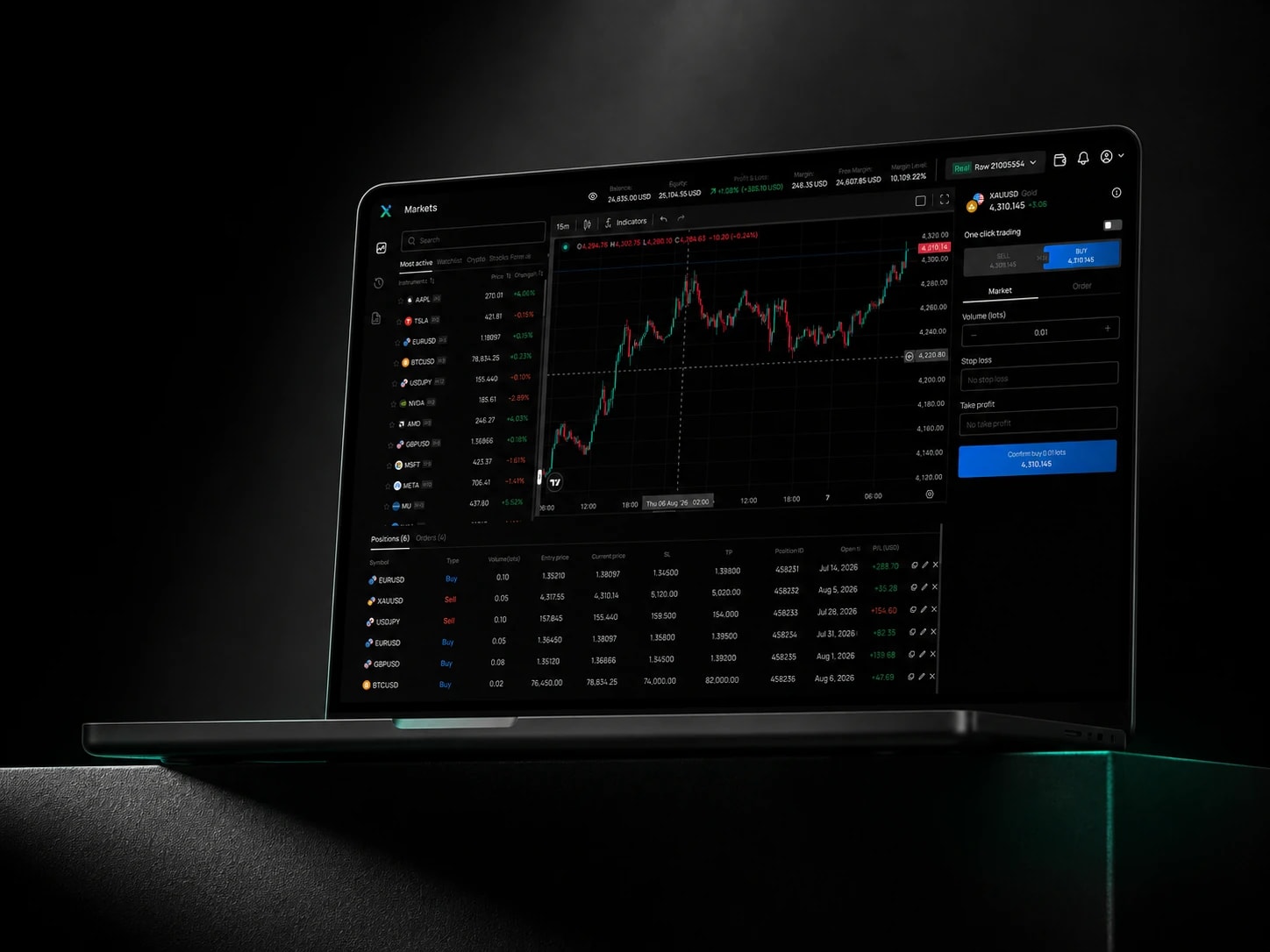
Customizable charting1
Multiple timeframes, 100+ indicators, drawing tools.
CFDs are complex instruments and come with a high risk of losing money rapidly due to leverage. 76% of retail investor accounts lose money when trading CFDs with this provider. You should consider whether you understand how CFDs work and whether you can afford to take the high risk of losing your money.
Feature parity
WebTerminal is not a lightweight companion. It carries the same order management and charting depth as the desktop terminal.
Multiple timeframes, 100+ indicators, drawing tools.
Advanced order types placed instantly, without leaving the chart.
OCO, trailing stops, bracket orders, built in.
Live P&L reporting and performance tracking.
Orders route in around 30ms at the median.
256-bit SSL encryption with two-factor authentication.
Reliability
Built to stay open on a trading desk all day, across tabs, restarts, and unstable connections.
No install
Runs entirely in-browser
256-bit SSL
Encrypted sessions
Two-factor auth
Extra login protection
Any browser
Chrome, Firefox, Safari, Edge
Get started
Nothing to install. Log in with your existing IUX account and your workspace loads automatically.
01
Go to the WebTerminal page from any browser, on any device.
02
Use your existing IUX account, the same one as the app and MT5.
03
Charts, watchlists, and open positions load automatically.
FAQ
IUX WebTerminal includes built-in charting with 100+ technical indicators and multiple timeframes for manual analysis. Automated Expert Advisors are not supported in the browser. For EA and algorithmic trading, connect the same account through MT5 desktop instead.
IUX WebTerminal runs on a current version of most major browsers, including Chrome, Firefox, Safari, and Edge, with nothing to install. Log in with your existing IUX account and your charts, watchlist, and open positions load automatically.
For manual trading, charting, and order management, yes: WebTerminal matches MT5 feature for feature. If your strategy relies on Expert Advisors or custom indicators written in MQL5, you will still need the MT5 desktop terminal for automated execution.
Recommended for you